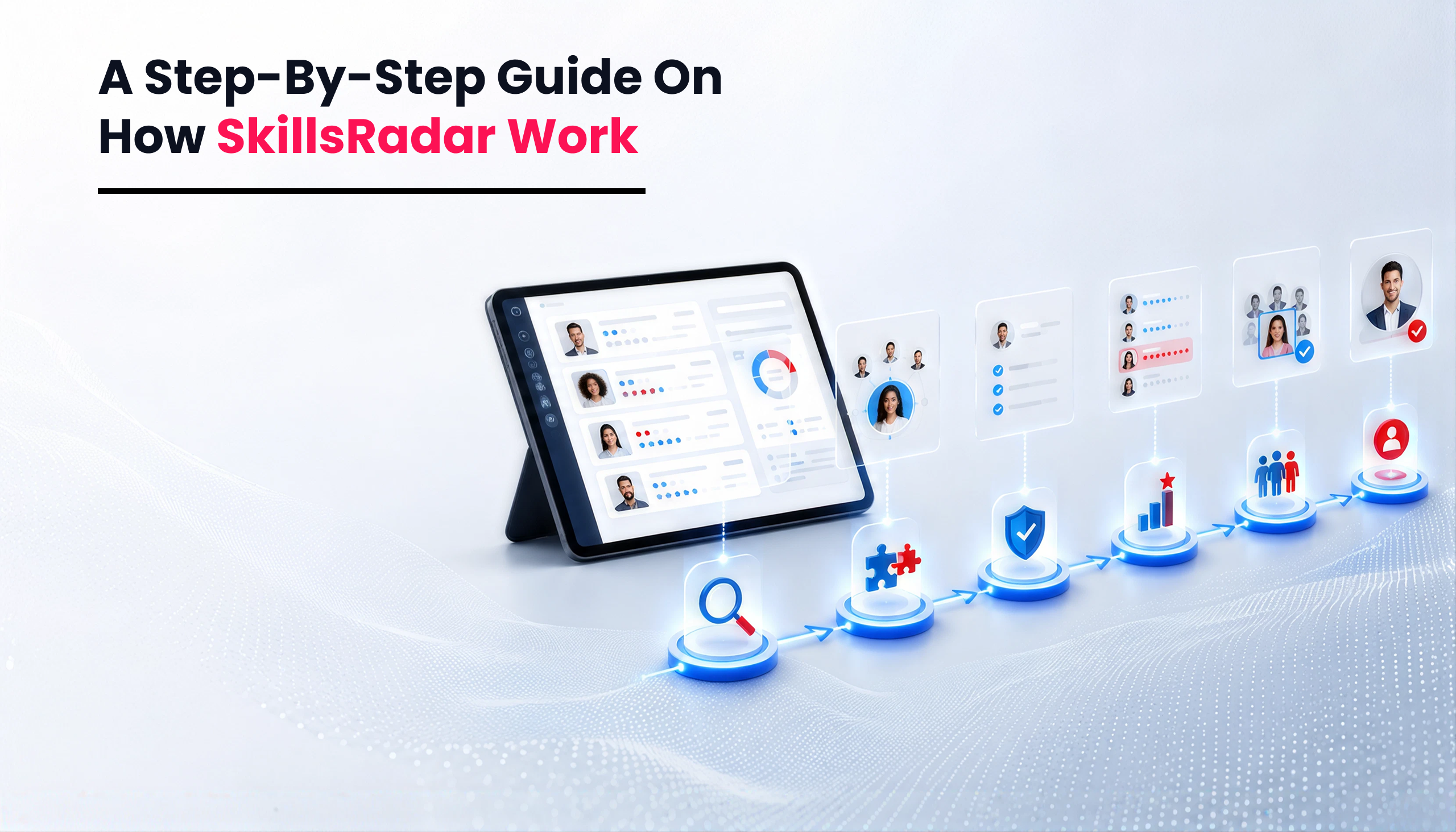
You signed up with SkillRadar, now what? This guide will walk you through how SkillRadar helps you reach the right candidates. From the moment you land on the platform to the moment you have your desired verified candidate profile in front of you and a conversion is underway, this guide will help you through the process step by step.
Let’s get straight into it.
Step 1 — Create Your Free Account
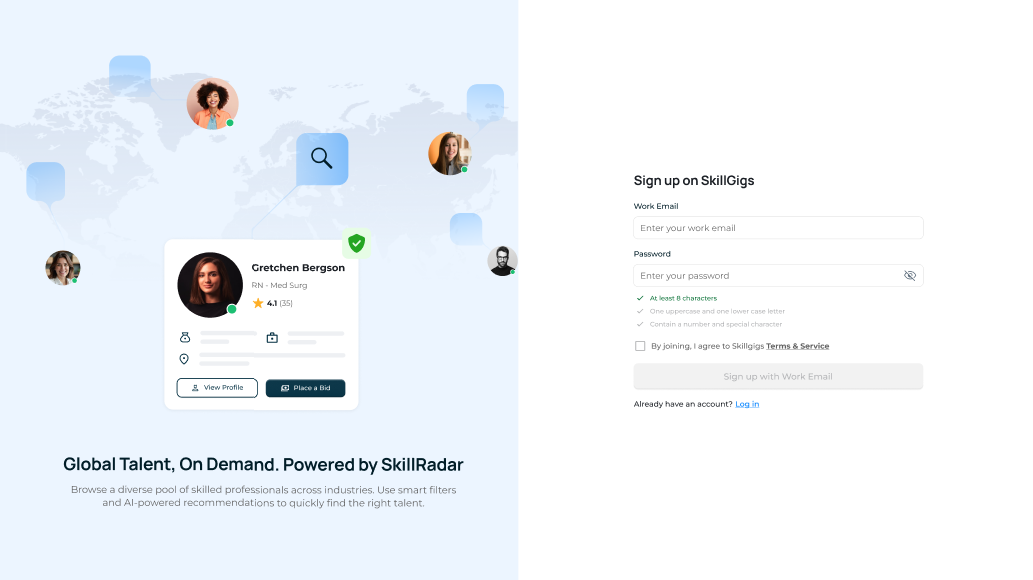
Head to SkillGigs.com and sign up as an employer. You can register with your work email.
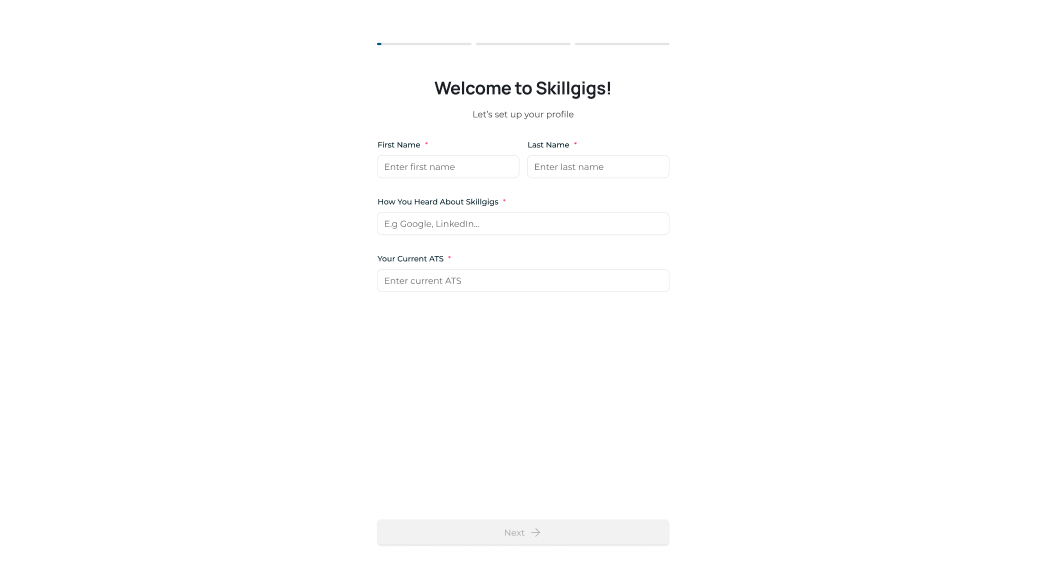
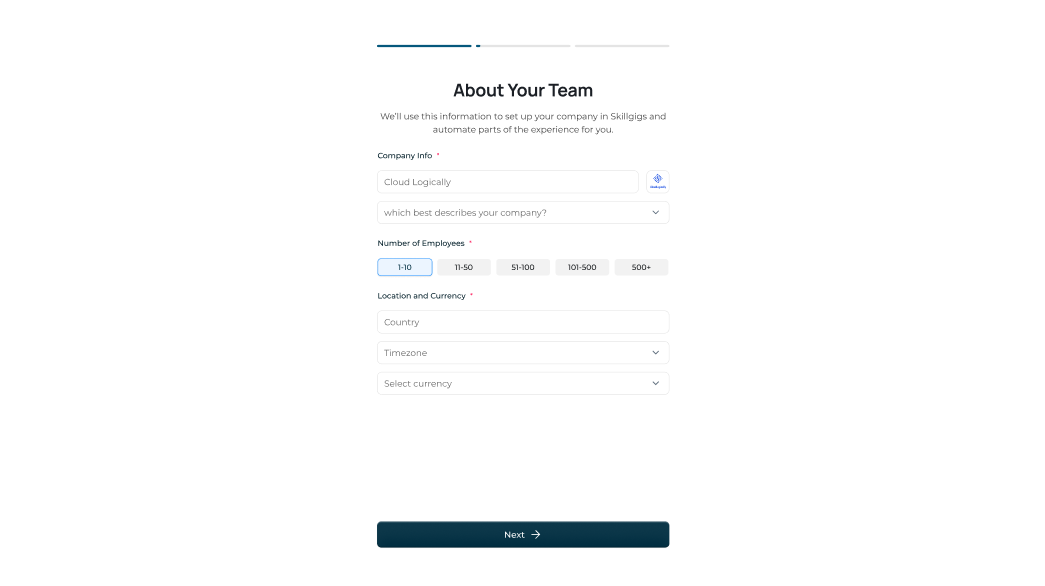
Once signed in, a three-step onboarding flow walks you through the basics. First, you fill in your personal details like your full name and your ATS.
Then you fill in your company details including company name, company size and location.
Then you create your first job by filling in the role title, hiring company, loation and talent description which you can also create by using SkillGigs’ AI.
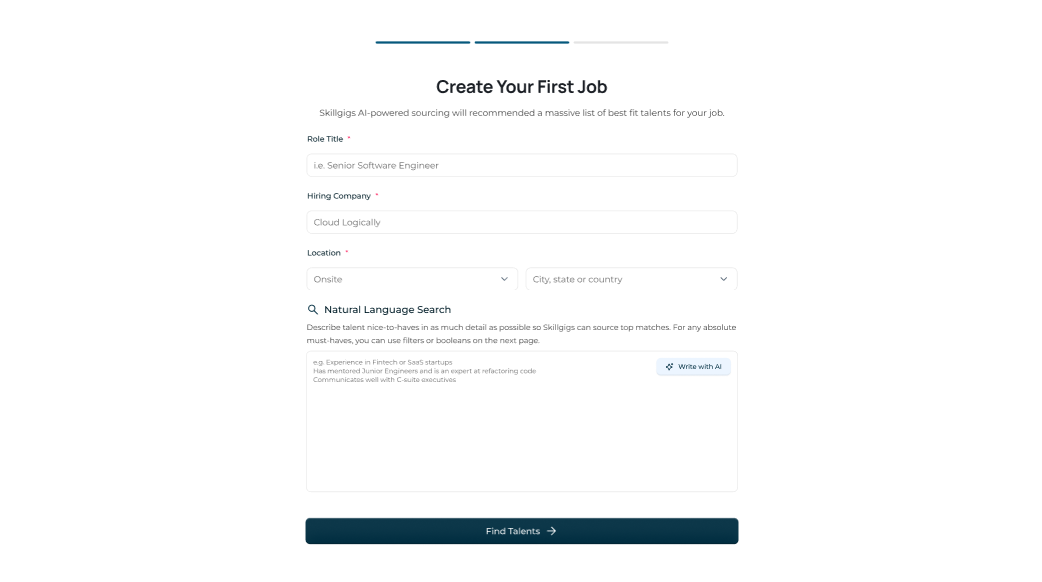
These steps are quick and the “Next button” only activates once the required fields are filled.
When you finish, a confirmation screen appears and you land on your dashboard. If you’re on the free plan, your 7-day trial activates the moment onboarding is complete and your account starts with 25 credits ready to use. No credit card is required to explore.
Your dashboard shows a getting-started checklist: Onboarding, Complete Profile, Post a Job and Place a Bid. Each completed step increases your profile completion percentage, which helps the platform surface better-matched candidates. You can tick these off in any order or jump straight to the search.
Paid plans unlock higher credit volumes, access to the full external talent pool and team management features. Whichever plan you choose, the platform is built to get you to your first search in one session.
Step 2 — Run Your First Search
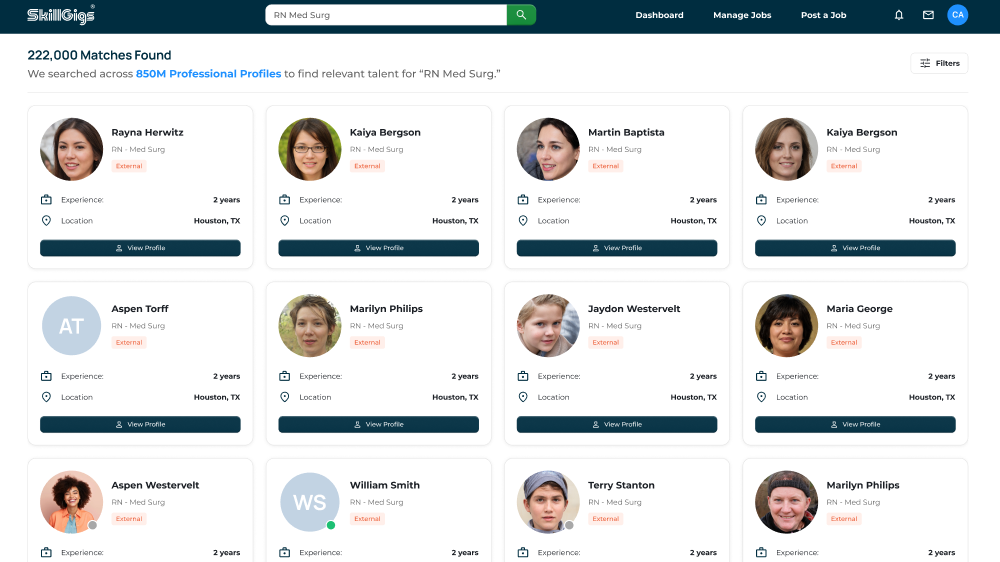
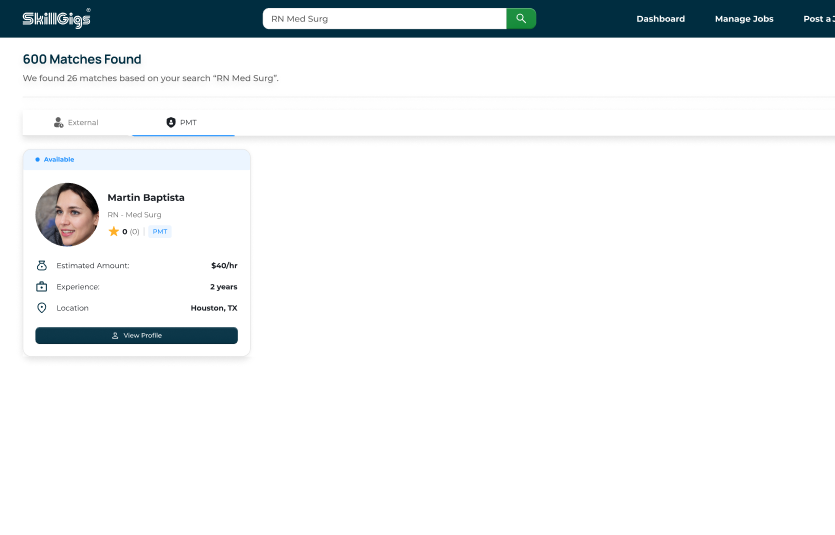
Once you’re in the SkillRadar dashboard, the search bar is front and top center. Type in the role, skill or specialty you’re hiring for. Type whatever skill listing you want to find and hit search and the results load immediately.
Step 3 — Inspect Verified Profiles
This is where SkillRadar works differently from a standard job board or sourcing tool. You will see several results according to your search query. Then you can inspect candidates from the pool of verified candidates.
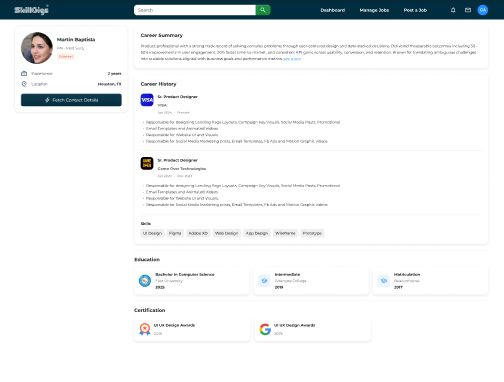
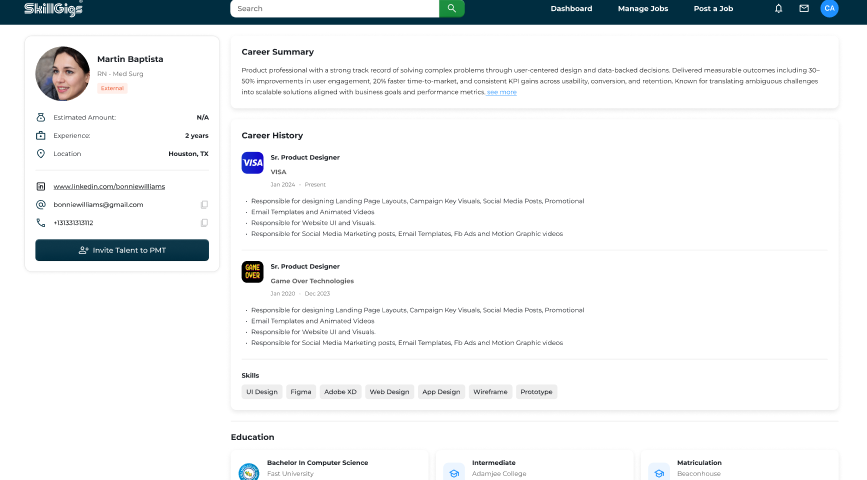
Click on the profile that you want to inspect. You can check their past work history, education and skills at one place and then decide if you want to invite them to your private talent marketplace or look for other candidate
Step 4 — Invite Candidates to Your PTM (Private Talent Marketplace)
Once you finalize a candidate to reach out to, use your free credit to fetch contact details of the candidates so you can connect with them and invite them to your private talent marketplace.
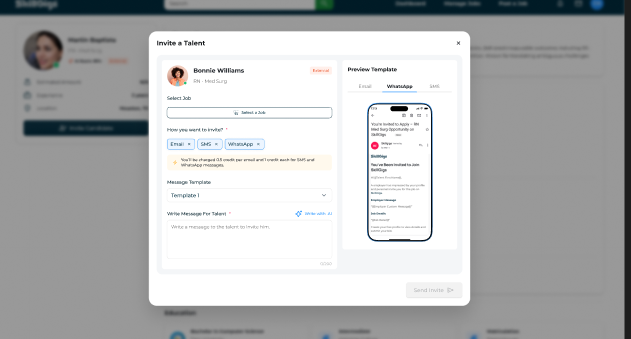
You can reach out to candidates through email, sms and WhatsApp. You can write your own invitation or you can select from the pre-made templates available.
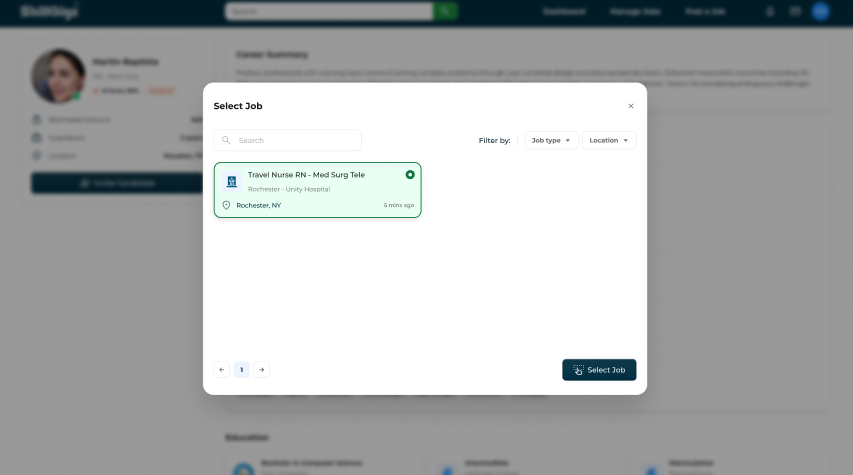
Then select the job you are sending the candidate an invitation for. You can do so by clicking on select job and then pick the job you have created while signing up or you can create a new job if you want.
Select the job and then send the invite to the candidate that you have chosen. Once the candidate select your invitation, it will start appearing in the new Private Talent Marketplace tab. You can develop your own private marketplace like this by inviting talent from external to your Private Talent Marketplace.
Step 5 — Place a Bid
Once you’ve found a candidate worth pursuing, the next step depends on their talent pool:
For your Private Marketplace Talent, click Place a Bid directly from their profile. A bid on SkillRadar is a compensation offer where you specify the rate you’re willing to pay and the candidate receives it as a direct signal of interest. This is one of the most effective parts of the platform: candidates who receive a bid are active, aware and already evaluating a real offer rather than a generic outreach message.
Fill in the rate you are willing to pay and the rest of the contract details.
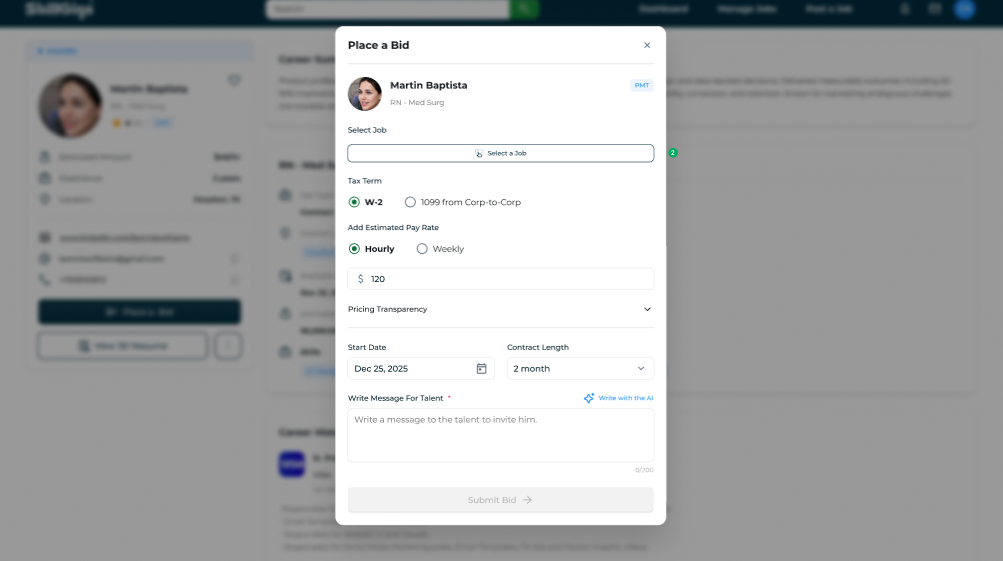
For External Talent, click Invite Talent first. Once the candidate joins the platform, you can move to Place a Bid from there.
Before placing any bid, make sure your job posting is complete with all the required job details.
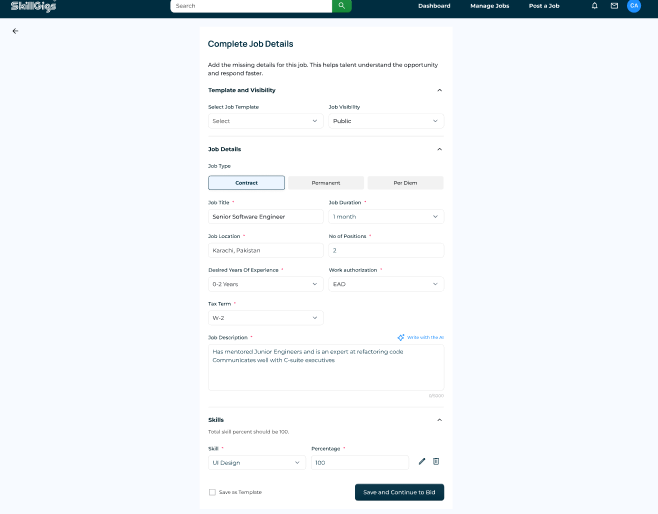
You can also post a job directly from the dashboard. When candidates on the platform see a role that fits them, they bid on it which signals active intent and availability. An inbound bid from a candidate who chose your role is a very different starting point than a cold candidate who may or may not be open to moving.
Step 6 — Engage, Schedule and Hire
Once a candidate responds to your bid or bids on your role, all follow-up happens inside the platform. Messaging, interview scheduling and back-and-forth on-terms are managed in one place.
When both sides align on terms and the candidate marks themselves as interested, you can move to the interview stage immediately. Credentialing management, interview scheduling and onboarding documentation are all handled within SkillGigs, so the process doesn’t stall out in administrative steps after the decision is made.
Once hired, the candidate’s profile stays in your pipeline. When the contract ends, the relationship doesn’t disappear back into an agency’s database. It stays with you, ready for the next assignment.
Start Your Journey Today
Search 850 million+ profiles, see verified skills before you reach out and only pay when you find someone worth reaching.
Frequently Asked Questions
Is SkillRadar Free to Use?
Yes. SkillRadar has a free plan that includes 25 contact-reveal credits and a 7-day trial from the moment you sign up. You can search the full platform and see candidate profiles immediately. You only spend credits when you choose to reveal a candidate’s contact details.
How Do Contact Reveal Credits Work?
Searching on SkillRadar is always free. Credits come into play when you want to unlock a specific candidate’s contact information. Searches cost 0.5 credits, email reveals 1 credit, and phone reveals 2 credits. You’re only paying for candidates you’ve already decided are worth reaching out to.
What’s the Difference Between SkillRadar and LinkedIn Recruiter?
LinkedIn Recruiter searches profiles based on keywords and self-reported information. SkillRadar surfaces candidates with verified skills scored by the Skill Index, so you know what a candidate can actually do before you reach out and not just what they’ve written on a profile.
Is SkillRadar a Job Board?
No. SkillRadar is a sourcing and direct-hiring platform, not a job board. You’re not posting a job and waiting for applicants to find it. You’re actively searching a verified talent pool, reaching out directly, and managing the full hiring workflow in one place.